Fake SCUML certificates exist. Banks, procurement officers, and compliance teams across Nigeria have encountered forged certificates from businesses that either never registered or whose registration was rejected. If you are about to enter a contract with a business, open a joint account, or carry out due diligence on a vendor, confirming that their SCUML certificate is genuine takes less than five minutes and is worth every second.
This guide walks through exactly how to verify a SCUML certificate in Nigeria, who the verification portal is for, and what to do when a certificate does not show up in the system.
Obtain Your EFCC SCUML Certificate
Let us help you get your EFCC SCUML Certificate quickly and hassle-free. Our team provides fast, reliable support to ensure your SCUML registration is completed accurately and in compliance with regulatory requirements.
What Confirming a SCUML Certificate Actually Means
Verifying a SCUML certificate means checking that a specific business is genuinely registered with the Special Control Unit Against Money Laundering, that the certificate details match the business presenting it, and that the registration has not lapsed or been revoked.
There are two groups of people who typically need to do this. The first is businesses wanting to confirm their own certificate is properly recorded in the system after downloading it. The second is third parties carrying out due diligence on another company, a supplier, contractor, or business partner they intend to transact with.
The process is the same for both.
What You Need Before You Start
You only need one of the following:
| Verification Input | Where to Find It |
|---|---|
| RC Number (CAC registration number) | CAC certificate of the business |
| SCUML Certificate Number | Printed on the SCUML certificate itself |
| Company or business name | Trading or registered name of the entity |
Having the actual certificate in hand makes the process faster, but you can still run a check using just the company name or CAC number if the certificate is not available.
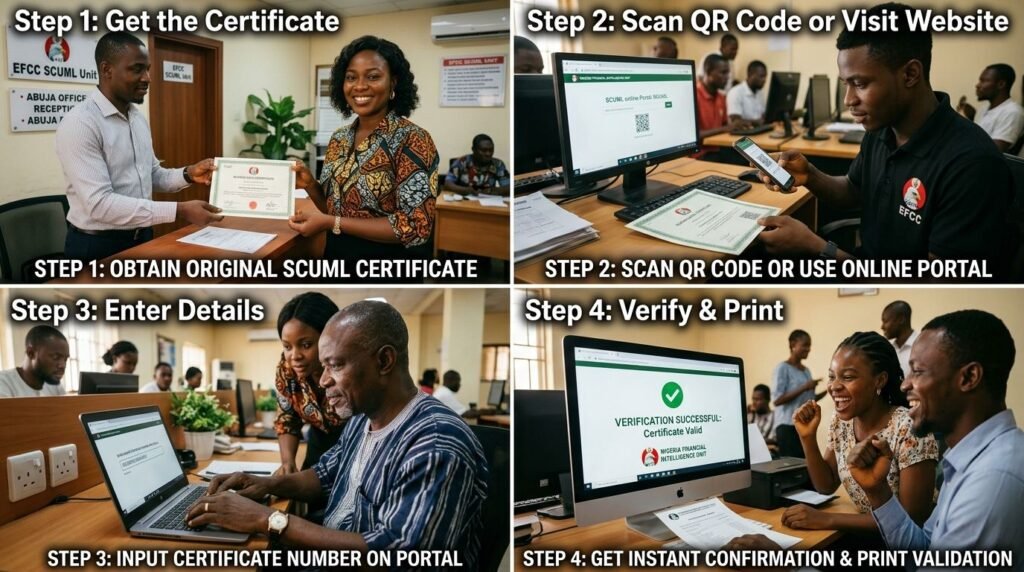
Step-by-Step: How to Confirm a SCUML Certificate in Nigeria
Step 1: Go to the Official SCUML Website
Open a browser and go to scuml.org or the EFCC’s SCUML portal at scuml.efcc.gov.ng. These are the only legitimate portals for SCUML verification. Do not use third-party websites that claim to offer “instant certificate verification” — these are not authorised and may not reflect accurate or current registration data.
Double-check the URL before entering any information. The authentic government portal will have a .gov.ng or .org domain. Phishing pages that mimic SCUML’s interface have been reported, particularly targeting businesses trying to verify vendor compliance.
Step 2: Locate the Verification Section
Once on the SCUML website, look for the section labelled “Verify Certificate,” “Certificate Verification,” or “Application Status.” The portal layout may change with updates, but there is always a dedicated section for certificate or registration lookups.
If you are also tracking an active application rather than verifying a completed one, look for “Application Status” or “Track Application” — this is a separate function but uses the same portal.
Step 3: Enter the Required Details
Input one of the following:
- The CAC registration number of the business
- The SCUML certificate number printed on the certificate
- The registered company or business name
Enter the details exactly as they appear on the document. A mismatch in spelling or format, such as “Ltd” versus “Limited” or missing punctuation, can return no results even for a legitimately registered business.
Step 4: Submit and Review the Results
Click the search or verify button. The portal will return one of three outcomes:
| Portal Result | What It Means |
|---|---|
| Registration confirmed with matching details | The certificate is valid and the business is registered |
| No record found | The business is not in the system, or details were entered incorrectly |
| Record found but details differ from certificate | The certificate may have been altered or is from a different entity |
If the registration is confirmed and the details match the business presenting the certificate, the verification is complete. The certificate is genuine.
Step 5: Cross-Check the Certificate Details
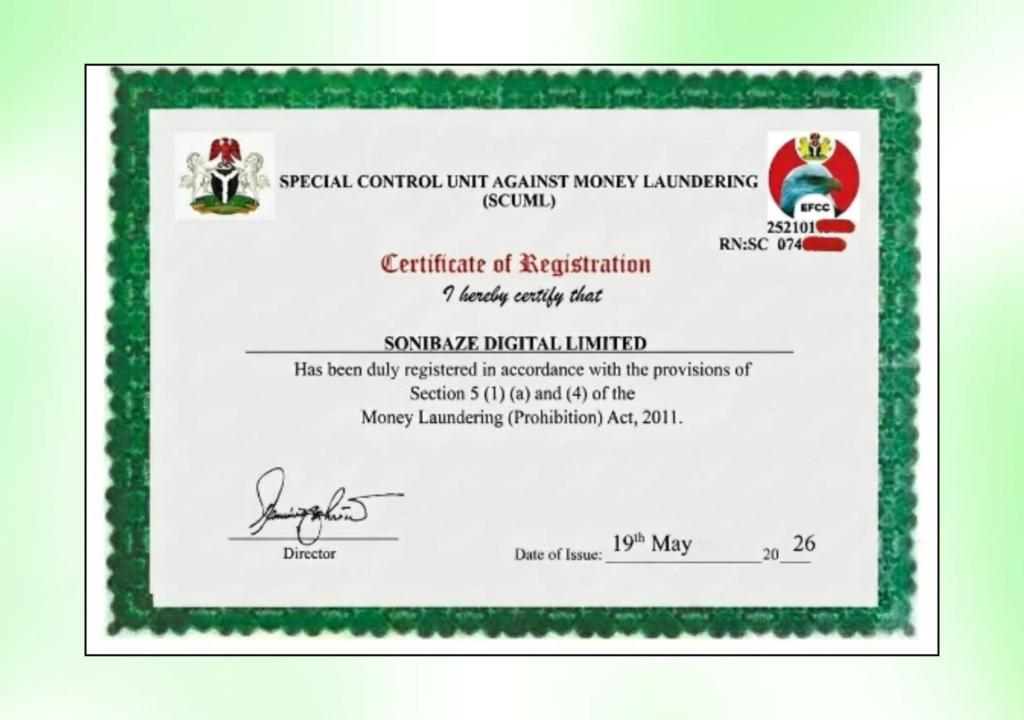
Even when the portal confirms registration, run a quick check between the portal results and the physical certificate. Confirm that the following match:
- Business name
- CAC registration number
- Certificate number
- Nature of business / sector
- Date of registration
A genuine certificate will be consistent across all fields. If the certificate shows different information from what the portal returns, treat that as a red flag and request clarification before proceeding.
What to Do If the Verification Returns No Result
Before concluding that a business is unregistered, try the following steps:
Check the spelling. Business names in the SCUML database are stored exactly as they appear on the CAC certificate. An extra space, a missing ampersand, or a variant abbreviation can cause a search to return nothing.
Try a different input. If you searched by company name, try the CAC number instead. If you used the certificate number, try the CAC number. Different inputs sometimes produce results when one fails.
Contact SCUML directly. The unit’s help desk is reachable at helpdesk@scuml.org. If a business claims to be registered and the portal shows nothing, emailing SCUML with the business name and CAC number will get you a direct response on their status.
Give it time. Newly issued certificates occasionally take a day or two to reflect fully in the public-facing portal. If the certificate was issued very recently, this may explain a temporary gap.
Obtain Your EFCC SCUML Certificate
Let us help you get your EFCC SCUML Certificate quickly and hassle-free. Our team provides fast, reliable support to ensure your SCUML registration is completed accurately and in compliance with regulatory requirements.
Who Should Be Verifying SCUML Certificates
| Person or Entity | Why Verification Matters |
|---|---|
| Bank compliance officers | Required before opening or maintaining corporate accounts for DNFBPs |
| Procurement teams | Confirming supplier compliance before contract award |
| Real estate and property developers | Verifying agent compliance for regulated property transactions |
| NGO partners and donors | Confirming non-profit compliance before disbursements |
| Business owners | Confirming their own certificate is properly recorded after issuance |
| Auditors and regulatory inspectors | Routine compliance checks during field inspections |
Common Reasons a Valid Certificate May Not Show Immediately
A business can be legitimately registered and still not appear on the portal right away. After completing an application, a confirmation email is forwarded automatically to the email address submitted by the applicant as proof of valid submission. The certificate download and the portal update are two separate events, and there can be a short gap between them.
For businesses that applied recently and are waiting for the portal to reflect their registration, the most reliable confirmation is the email receipt from SCUML acknowledging the application, the downloadable certificate from the portal account, and a direct response from helpdesk@scuml.org if any doubt remains.
Frequently Asked Questions
Is the SCUML verification portal free to use?
Yes. Verifying a certificate through the SCUML portal costs nothing. Anyone can run a search using a business name, CAC number, or certificate number without paying any fee.
Can a SCUML certificate be faked?
Yes, and it has happened. Some businesses have presented altered or entirely forged certificates to satisfy bank or contract requirements. This is why portal verification is important rather than relying solely on the physical or digital certificate presented by the business.
What if a business refuses to let me verify their certificate?
A registered business has no reason to object to certificate verification since the check is done independently on the SCUML portal without their involvement. Reluctance to provide a CAC number or certificate number for verification should be treated as a serious concern.
Does a SCUML certificate expire?
While the certificate itself does not expire, businesses are legally required to update their records with SCUML when material details change, such as a change of address or key personnel. A certificate that reflects outdated business information may still appear valid on the portal but could fail a more detailed compliance review.
What is the difference between verifying a certificate and tracking an application?
Verifying a certificate confirms that a business is registered and their certificate is genuine. Tracking an application monitors the status of a pending SCUML registration that has not yet been completed. Both functions are available on the SCUML portal but serve different purposes.
Can I verify a SCUML certificate on behalf of another business?
Yes. The portal is publicly accessible, and anyone can run a search using the relevant details. You do not need to be the registered business or have special access. This is by design, since the verification system exists for third-party due diligence.
Conclusion: A Five-Minute Check That Protects Against Serious Exposure
The SCUML verification process is one of the simpler compliance checks available in Nigeria. Visit the portal, enter the CAC number or certificate number, and confirm the result matches what you have been presented. Done.
The businesses most at risk are those that skip this step and take certificates at face value, whether their own registration has been recorded correctly or whether a vendor’s certificate is genuine. Both scenarios have real consequences when they go wrong, and the check costs nothing.
Obtain Your EFCC SCUML Certificate
Let us help you get your EFCC SCUML Certificate quickly and hassle-free. Our team provides fast, reliable support to ensure your SCUML registration is completed accurately and in compliance with regulatory requirements.