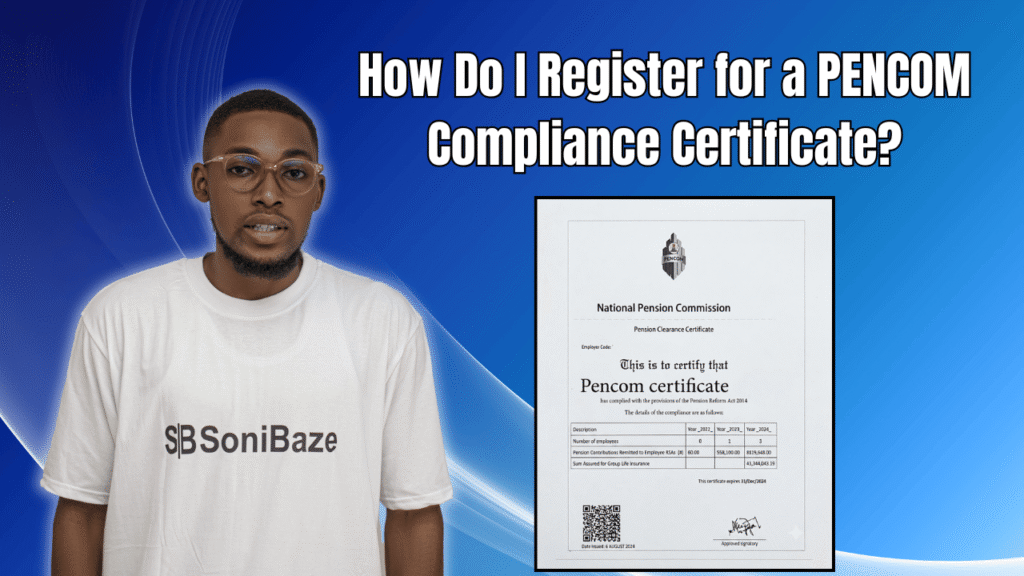
If your company is bidding for a federal government contract, you already know the PENCOM Compliance Certificate is on the checklist. What many business owners do not know is the full sequence of steps involved, why some applications get rejected, and what the realistic timeline looks like once you start.
This guide walks through the registration process from start to certificate, including the documents required, what happens on the portal, and how long to expect the whole thing to take.
Obtain Your PENCOM certificate
Let us help you obtain your PENCOM Compliance Certificate quickly and hassle-free. Our experts provide reliable support throughout the application process, ensuring you meet all requirements and remain compliant.
What Is the PENCOM Compliance Certificate?
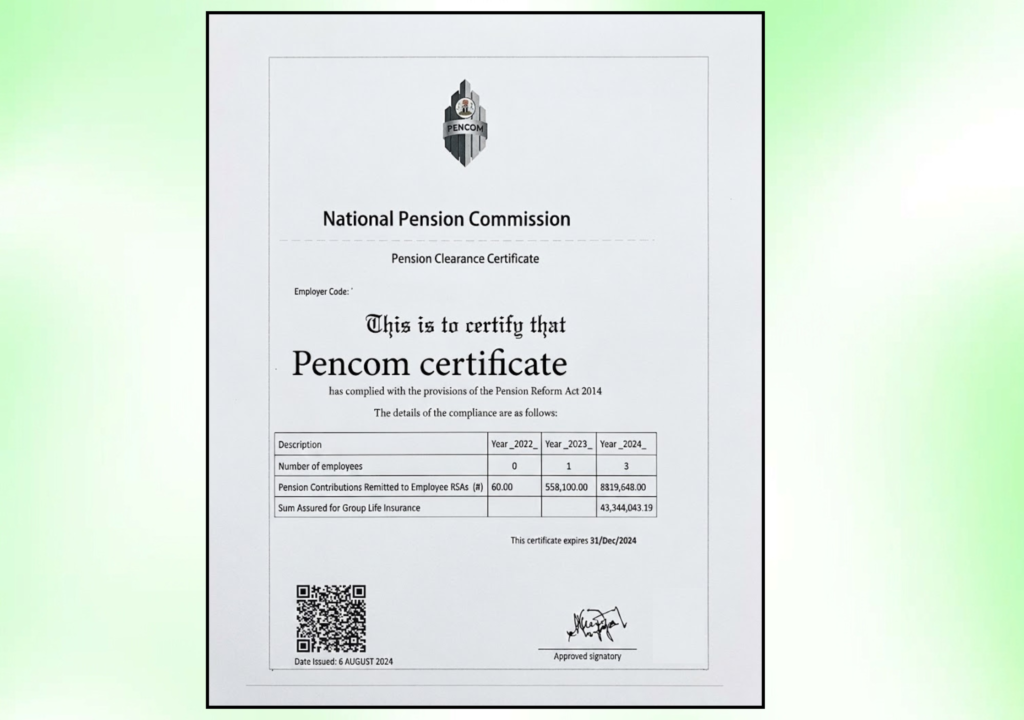
The PENCOM Compliance Certificate, also called the Pension Clearance Certificate (PCC), is issued by the National Pension Commission and confirms that a company is complying with the Pension Reform Act 2014. PENCOM itself was established by the Pension Reform Act 2004 as a Federal Government agency charged with regulating, supervising, and overseeing pension administration in Nigeria.
The certificate is a prerequisite for companies supplying, contracting, or consulting for Federal Government Ministries, Departments, and Agencies. Without it, your bid simply does not qualify.
| When You Need the PENCOM PCC | Why |
|---|---|
| Bidding for federal government contracts | Mandatory requirement under the Public Procurement Act |
| Renewing key sectoral licences | Proof of pension compliance required by some regulators |
| Working with international government agencies | Compliance evidence often demanded during procurement |
| General regulatory standing | Demonstrates good corporate citizenship and staff welfare |
The certificate is valid only until December 31 of the year it is issued. It must be renewed annually.
Who Must Register?
Any organisation with a minimum of 15 employees is required to register with PENCOM and maintain pension contributions for its staff. This applies to both private companies and public entities. Companies with fewer than 15 employees may also register voluntarily, particularly if they intend to work with government agencies at any point.
As of April 1, 2026, all applications for the Pension Compliance Certificate must be submitted through the PENCOM online portal. Manual or paper-based submissions are no longer accepted.

Documents You Need Before You Start
Getting these ready before you touch the portal saves a lot of time. A missing document mid-application means going back to the start of that upload section.
| Document | Details |
|---|---|
| CAC Certificate of Incorporation | Confirms the company’s legal registration in Nigeria |
| Memorandum and Articles of Association | Required alongside the CAC certificate |
| CAC Status Report | Current status report from the Corporate Affairs Commission |
| FIRS Tax Identification Number (TIN) | Printout of the company’s TIN from the Federal Inland Revenue Service |
| Employee Staff List | Full names, RSA PINs, PFA names, job titles, and monthly salaries |
| Pension Contribution Schedule | Past 12 months of pension remittance records showing amounts and dates |
| Group Life Insurance Cover | Evidence of employees’ group life insurance policy |
| Company Profile | Brief profile of the organisation’s operations and key personnel |
| Valid ID of Directors/Proprietors | Government-issued ID for company signatories |
The employee staff list and pension contribution schedule must match each other exactly. Any discrepancy between the two triggers a query.
Step-by-Step Registration Process
Step 1: Obtain an Employer Code
Before applying for the certificate, your company needs an Employer Code from PENCOM. If your company already remits pension contributions, you may have this already. If not, submit a request to PENCOM directly, providing your Certificate of Incorporation and TIN. This code is your identifier on the PENCOM system and is required to log in to the portal.
Step 2: Register at Least 3 Staff With a Pension Fund Administrator
PENCOM requires that a minimum of three employees be registered with a licensed Pension Fund Administrator before the compliance application can proceed. These employees must have active Retirement Savings Account (RSA) PINs with their respective PFAs.
The contribution structure requires 18 percent of each enrolled employee’s monthly salary, split as 10 percent from the employer and 8 percent from the employee. Remittance records for up to 36 months may be reviewed.
Step 3: Create an Account on the PENCOM e-Pension Portal
Visit the PENCOM e-Pension portal and create a company account. You will provide:
- Employer Code
- RC number (this auto-fills from the CAC database in most cases)
- Official company address
- Contact details and email address
Once submitted, you are redirected to your company dashboard, where the application process begins.
Step 4: Upload Your Employee Records and Pension Contribution Schedule
This is the most detailed stage of the application. Log in to your account and upload the full employee schedule, which includes each employee’s full name as registered with their PFA, RSA PIN, job title, date of employment, and monthly salary.
Alongside this, upload the pension contribution schedule covering the past 12 months. Each entry should show the employee’s name, RSA PIN, gross salary, monthly contribution breakdown, and dates of remittance.
These two documents must align exactly. Duplicate entries, mismatched names, or inconsistent RSA PINs are the most common reasons applications are flagged at this stage.
Step 5: Upload Your Company Profile and CAC Documents
Upload the following as a package:
- CAC Certificate of Incorporation
- Memorandum and Articles of Association
- CAC Status Report
Then upload the company profile, which describes your organisation’s operations and key personnel. This is the stage where PENCOM cross-checks your legal identity against the records in its system.
Step 6: Upload the Group Life Insurance Cover
Nigerian employers with three or more employees are required by the Pension Reform Act to maintain a group life insurance policy for their staff. Upload the current policy document at this stage. An expired policy will cause a rejection.
Step 7: Review and Submit
Before submitting, review the entire application carefully. The portal flags errors with a red prompt, and each flagged item must be corrected before the submission button becomes active. Check that all names, PINs, and monetary figures match across documents.
Once everything is clean, submit the application. You will receive a confirmation and can track the status of your application from your dashboard using your Employer Code or company name.
Step 8: Respond Promptly to Any Queries
PENCOM may issue a query requesting additional information or corrections to submitted documents. Responding quickly is essential. Applications that sit without a response to a query stall indefinitely, and the 15 working day processing clock does not restart until a complete, corrected submission is received.
Step 9: Download the Certificate
Once approved, the PENCOM Compliance Certificate is available for download directly from your portal account. Print and retain a copy at your principal business premises, as PENCOM and government procurement officers may request to see it during contract verification.
Obtain Your PENCOM certificate
Let us help you obtain your PENCOM Compliance Certificate quickly and hassle-free. Our experts provide reliable support throughout the application process, ensuring you meet all requirements and remain compliant.
Registration Steps at a Glance
| Step | Action |
|---|---|
| 1 | Obtain your Employer Code from PENCOM |
| 2 | Register minimum 3 staff with a PFA and remit contributions |
| 3 | Create company account on the PENCOM e-Pension portal |
| 4 | Upload employee schedule and pension contribution records |
| 5 | Upload CAC documents and company profile |
| 6 | Upload group life insurance cover |
| 7 | Review application and submit |
| 8 | Respond to any queries from PENCOM |
| 9 | Download the certificate from your portal account |
How Long Does It Take?
Applications are processed within 15 working days, if all requirements are available. In the event of any deficiency, a notification is sent to the applicant for remedial action before the certificate is issued. In practice, companies that submit clean, complete applications typically receive their certificate within 10 to 15 working days. Those that receive queries often wait three to five weeks once correction time is added.
Common Mistakes That Delay Applications
Getting rejected or queried is frustrating, especially when you are under pressure ahead of a contract deadline. These are the mistakes that show up most often.
| Mistake | Impact |
|---|---|
| Employee names on staff list differ from PFA records | Query raised, resubmission required |
| Duplicate entries in the contribution schedule | Application rejected outright |
| Expired group life insurance policy | Blocked until renewed policy is uploaded |
| CAC status report that does not match current directors | Verification fails against CAC database |
| File sizes exceeding portal limits | Documents fail to upload properly |
| Contribution schedule covers less than 12 months | Application flagged as incomplete |
Frequently Asked Questions
Is the PENCOM Compliance Certificate the same as PENCOM registration?
Not exactly. PENCOM registration refers to the process of getting your Employer Code, registering employees with a PFA, and establishing your pension remittance structure. The Compliance Certificate is issued after registration, once PENCOM confirms that your contributions are up to date and your records are accurate. You need to be registered before you can apply for the certificate.
Does the certificate expire?
Yes. The PENCOM Compliance Certificate is valid only until December 31 of the year it is issued. Companies that hold government contracts or plan to bid annually must renew their certificate each year, which means submitting updated contribution schedules and employee records.
What is the cost of the PENCOM Compliance Certificate?
PENCOM does not charge a fee for the certificate itself. Costs arise if you engage a professional consultant to assist with document preparation and portal submission, but no payment goes to PENCOM directly for issuing the certificate.
Can a company with fewer than 15 employees apply?
Yes, registration is possible for smaller companies. The 15-employee threshold is the point at which registration becomes mandatory, but smaller businesses that deal with government agencies often register voluntarily to remain eligible for contracts.
What happens if a company is not compliant?
Operating without pension compliance when required exposes a company to penalties under the Pension Reform Act 2014, disqualification from government contracts, and reputational damage in regulated industries. Employees whose contributions have not been remitted can also raise complaints with PENCOM, which may trigger an audit.
What is an RSA PIN?
An RSA PIN is a Retirement Savings Account Personal Identification Number assigned to each employee by their Pension Fund Administrator. It is the unique identifier that links an employee to their pension account. Every employee on your staff list must have one before they can appear in a valid pension contribution schedule.
Conclusion: Start With Your Documents, Not the Portal
The PENCOM Compliance Certificate process is more about preparation than it is about the portal itself. The portal is straightforward once you arrive with the right documents. The businesses that wait the longest are invariably the ones that started uploading before getting their employee records, contribution schedules, and CAC documents in order.
Get those documents aligned first, then move to the portal. That single change in approach is what separates a two-week turnaround from a six-week one.
Obtain Your PENCOM certificate
Let us help you obtain your PENCOM Compliance Certificate quickly and hassle-free. Our experts provide reliable support throughout the application process, ensuring you meet all requirements and remain compliant.