The Tax Clearance Certificate is one of those documents that shows up on almost every serious compliance checklist in Nigeria. Government contracts ask for it. Banks ask for it when processing certain applications. Regulatory bodies ask for it during licence renewals. Yet many business owners and individuals still scramble for it at the last minute because they never set up the habit of generating it at the start of each year.
This article covers what the TCC is, the conditions your tax account must meet before you can generate one, and the exact steps to follow on the FIRS portal.
Obtain Your Tax Clearance Certificate (TCC)
Let us help you obtain your Tax Clearance Certificate (TCC) quickly and hassle-free. Our experts provide reliable support throughout the application process, ensuring your business meets all tax compliance requirements.
What Is a Tax Clearance Certificate?
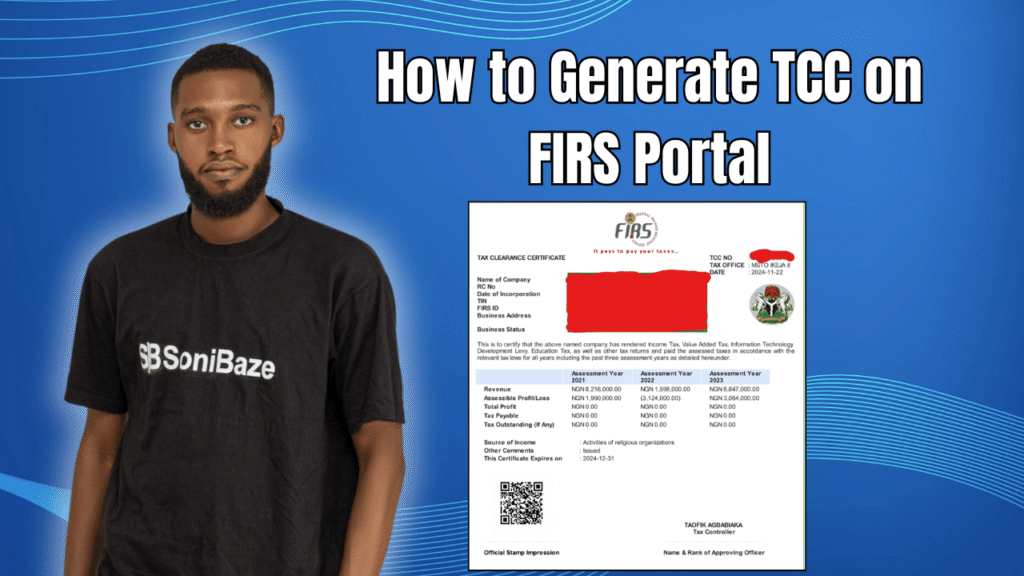
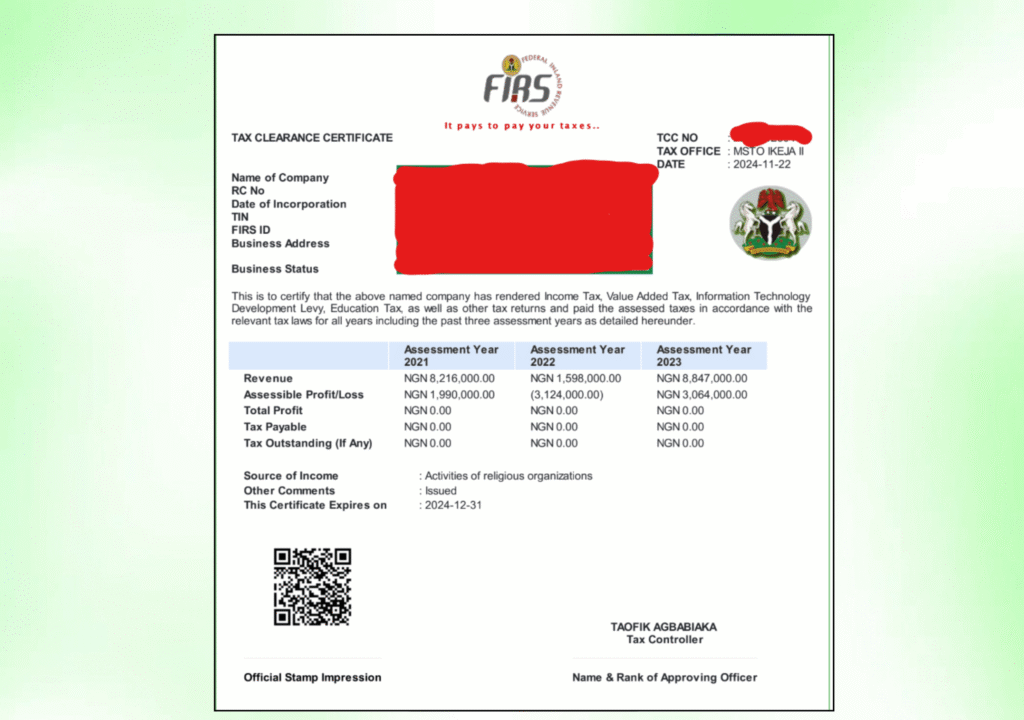
A Tax Clearance Certificate is an official document issued by the Federal Inland Revenue Service confirming that a taxpayer has fulfilled all tax obligations up to the date of issuance. It is not proof that you paid a specific tax on a specific date. It is a summary confirmation covering the three years immediately before the current year of assessment, showing that your tax position for each of those years is settled.
The FIRS TCC shows the taxpayer’s name, Tax Identification Number, and for companies, the nature of business or for individuals, the name of their employer. It also shows the total income assessed and the tax paid for each of the three preceding years.
FIRS introduced the electronic TCC process from January 2023, cutting the generation time for eligible taxpayers to under a minute in most cases. Before that change, the statutory processing window was up to two weeks.
When Is a TCC Required?
A valid TCC is mandatory for a range of transactions in Nigeria. You will need one when bidding for government contracts, renewing business licences and permits, applying for import or export licences, processing certificate of occupancy or land transfer documents, applying for loans or grants from financial institutions, and in some cases during immigration applications such as work or residency permits.
Ministries, Departments and Agencies are mandated to request a valid TCC before processing applications for any of the above. Banks have also adopted this requirement for certain commercial transactions.

Conditions You Must Meet Before Generating a TCC on FIRS Portal
The online TCC generation process is fully automated for existing companies and registered taxpayers. But automated does not mean unconditional. Your account must meet the following conditions before the portal will allow you to generate a certificate.
You must be a registered taxpayer with a valid TIN. Your tax returns must be filed for the three years immediately before the current year of assessment. All taxes assessed for those three years must have been paid in full, with no outstanding liabilities. Your taxpayer profile on the portal, including your address details with street name, state, LGA, and LCDA, must be complete and up to date. A recent passport photograph must be attached to your profile, as FIRS requires this for identification and validation on the TCC.
If any of these conditions are not met, the portal will block the generation and flag what is outstanding. The certificate will not be released until every item on the checklist is cleared.
New Companies vs Existing Companies: What Is the Difference?
The online self-service generation route applies to existing taxpayers. These are companies or individuals who have registered for taxes with FIRS and have filed tax returns for at least two years.
New companies, meaning those that recently registered or have not yet filed corporate income tax returns for two or more years, cannot use the automated online route in the same way. They typically need to visit the FIRS office designated for their tax file to initiate the TCC application manually or through the supervised process at their tax office. FIRS will raise assessments for the applicable period and guide the company through the compliance steps before the certificate is issued.
If you are unsure which category applies to your company, your TIN registration details and filing history on the FIRS portal will clarify it.
Obtain Your Tax Clearance Certificate (TCC)
Let us help you obtain your Tax Clearance Certificate (TCC) quickly and hassle-free. Our experts provide reliable support throughout the application process, ensuring your business meets all tax compliance requirements.
How to Generate TCC on the FIRS Portal: Step by Step
Step 1: Visit the FIRS TCC Portal
Open a browser and go to tcc.firs.gov.ng. This is the dedicated FIRS portal for TCC generation and validation. Do not use a third-party site or an old link from a previous application. The portal address has been tcc.firs.gov.ng since FIRS centralised the e-TCC service.
Step 2: Log In With Your Taxpayer Credentials
Enter your TIN and the password linked to your FIRS e-Services account. If you have not logged into the portal before, you may need to complete a one-time setup using your TIN and the email address registered with FIRS.
If you have forgotten your login details, use the account recovery option on the portal rather than creating a new account. Duplicate accounts cause complications with filing history and TCC generation.
Step 3: Check Your Profile Completeness
Before attempting to generate the TCC, navigate to your profile page and confirm that your address details are fully filled in, covering street name, number, state, LGA, and LCDA. Also confirm that a passport photograph is uploaded.
These two items are frequently the reason the portal blocks TCC generation for taxpayers who have otherwise met all their filing and payment obligations. Fixing them takes a few minutes and unlocks the generation immediately.
Step 4: Click on Generate TCC
From your profile or dashboard, locate and click the “Generate TCC” or “Download TCC” option. The portal will run through an automated checklist covering your filing status and payment history for the three preceding years.
If all conditions are met, the certificate is generated instantly and a copy is also sent to the email address registered on your account.
Step 5: Download and Verify the Certificate
Once generated, download the TCC as a PDF. The certificate contains a QR code for verification purposes. Anyone who needs to confirm its authenticity can scan the QR code, which redirects to a FIRS page showing the taxpayer’s name, TIN, and compliance status.
You can also verify a TCC manually at tcc.firs.gov.ng/tccvalidationnew using the certificate number and other taxpayer details. This is the verification tool used by procurement officers and banks when checking TCC authenticity.
What to Do If the Portal Blocks Your TCC Generation
If the generation fails after logging in, the portal will typically indicate which condition is not satisfied. The most common reasons include unfiled tax returns for one or more of the preceding three years, outstanding assessed tax liabilities that have not been paid, an incomplete taxpayer profile, a missing passport photograph, or a pending tax reconciliation on your account.
For unfiled returns, file through the appropriate FIRS channel for each tax type before attempting TCC generation again. For outstanding liabilities, pay through the FIRS Remita payment system and confirm the receipt is reflected on your account. For pending reconciliations, this usually requires a visit or direct engagement with your designated FIRS tax office to resolve the discrepancy.
Once the blocking issue is resolved, the portal will allow generation on your next login.
Manual Application: When to Use It
The online portal is the faster route when your tax account is in order. But there are situations where a manual application at your nearest FIRS office is the better option: when you are a new company that has not yet completed two years of corporate income tax filings, when your online account has an issue that cannot be resolved through the portal, or when your tax file has discrepancies that need to be reviewed by an officer before the certificate can be released.
For manual applications, you visit the FIRS office handling your tax file, request the TCC application form, complete it accurately, and submit it alongside evidence of tax registration, filed returns, proof of tax payments, and any other documents the officer specifies. Manual processing typically takes a few weeks compared to the immediate issuance available through the online route.
TCC Generation at a Glance
| Step | Action | What to Watch |
|---|---|---|
| 1 | Visit tcc.firs.gov.ng | Use the correct portal address, not a third-party site |
| 2 | Log in with TIN and password | Use your existing account, not a new one |
| 3 | Check profile completeness | Address and passport photograph must both be complete |
| 4 | Click Generate TCC | Portal runs automated compliance check against your account |
| 5 | Download certificate and verify QR code | Certificate sent to registered email as well |
Frequently Asked Questions
How long is a FIRS Tax Clearance Certificate valid?
The TCC covers the three years immediately preceding the current year of assessment. It is issued annually, meaning a TCC generated in 2025 covers the 2022, 2023, and 2024 tax years. You would apply again at the start of 2026 for a certificate covering the following three-year window.
Can an individual, not just a company, generate a TCC on the FIRS portal?
Yes. Both individuals and companies can obtain a TCC from FIRS, provided they have a TIN and have met their tax filing and payment obligations for the three preceding years. Self-employed individuals and professionals who pay taxes directly to FIRS rather than through a PAYE scheme are eligible.
What if I filed my returns but the portal still blocks TCC generation?
This is usually caused by a timing gap between when a return was filed and when it was reflected on the FIRS system, or by a reconciliation issue where the payment on record does not match the assessed liability. In either case, contact your designated FIRS tax office directly with your TIN and payment evidence to get the record corrected before retrying.
Is the e-TCC generated online the same as the physical certificate?
Yes. The electronic TCC generated through the FIRS portal is the official certificate and carries the same legal weight as a physically issued one. It includes a QR code that allows third parties to verify its authenticity instantly, which makes the electronic version more practical for most compliance purposes.
What taxes must be up to date before I can generate a TCC?
For companies, this typically includes Company Income Tax, Value Added Tax, Withholding Tax, and PAYE remittances for staff. For individuals, it includes personal income tax for the relevant years. The specific taxes that must be cleared before TCC issuance depend on which taxes your entity is registered for with FIRS.
Can I generate a TCC if I registered my business this year and have no prior filings?
No. Newly registered entities that have not yet completed tax filings for any prior year need to go through the manual TCC application process at their designated FIRS tax office rather than using the online generation portal.
Conclusion: Stay Filed, Stay Ready
The reason most businesses struggle with TCC generation is not the portal itself. It is the state of their underlying tax records. Unfiled returns, unpaid assessments, and outdated profiles are what block the process.
The cleanest approach is to file all required returns on time throughout the year and settle any assessments before December ends. That way, when January comes and a contract or licence renewal asks for a TCC, you log in, click generate, and the certificate is in your inbox in under a minute.
Obtain Your Tax Clearance Certificate (TCC)
Let us help you obtain your Tax Clearance Certificate (TCC) quickly and hassle-free. Our experts provide reliable support throughout the application process, ensuring your business meets all tax compliance requirements.