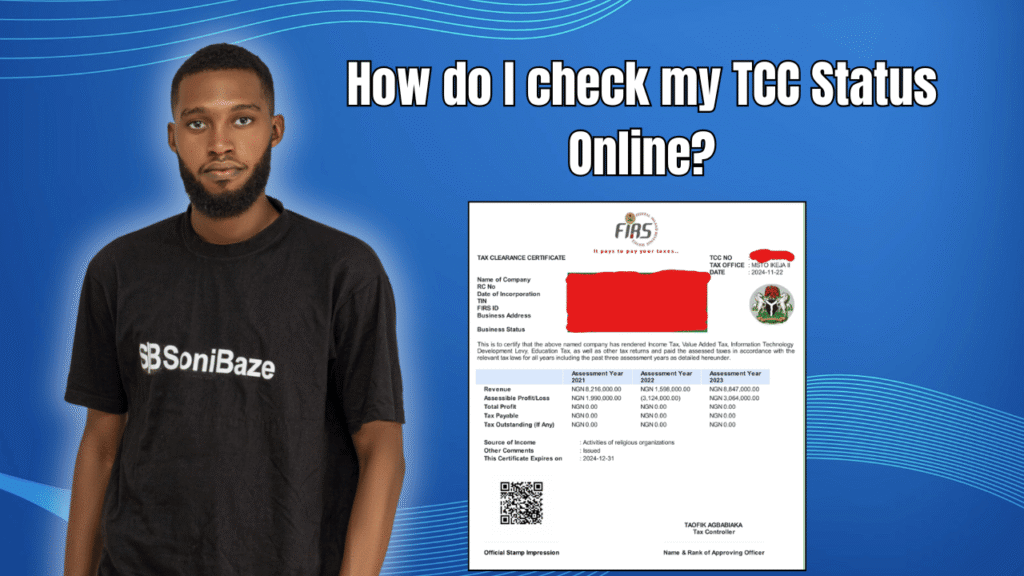
You applied for your Tax Clearance Certificate weeks ago and have heard nothing back. Or someone is asking you to verify a TCC and you are not sure whether it is genuine. Either way, you need to check a TCC status online and the process is shorter than most people think.
This article explains how the online TCC verification system works in Nigeria, how to check the status of your own application, and what to do when the system says something you did not expect.
Obtain Your Tax Clearance Certificate (TCC)
Let us help you obtain your Tax Clearance Certificate (TCC) quickly and hassle-free. Our experts provide reliable support throughout the application process, ensuring your business meets all tax compliance requirements.
What Is a TCC and Who Issues It?
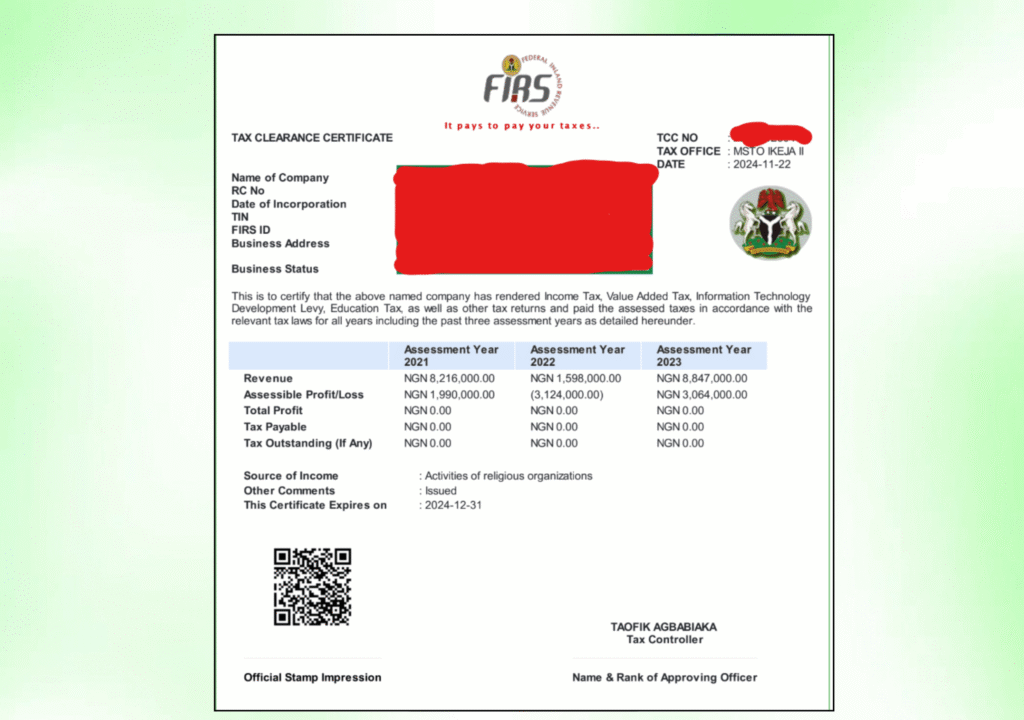
A Tax Clearance Certificate is an official document that confirms a taxpayer has paid all taxes due for the three years immediately before the current year of assessment. It is not optional for businesses that want to bid for government contracts, open certain bank accounts, renew licences, or apply for expatriate permits.
Since the 2025 tax reforms took effect in January 2026, the Nigeria Revenue Service issues the TCC for companies and corporate entities. State Internal Revenue Services issue TCCs for individuals. The two processes are separate, and the verification method for each differs slightly.
How to Check Your TCC Status Online (Companies)
For company TCCs, the portal is tcc.firs.gov.ng. This is the NRS e-TCC portal, and it handles both generation and verification of corporate tax clearance certificates.
Here is the process step by step.
Visit tcc.firs.gov.ng. This is the correct address for company TCC transactions. Do not use a third-party site or an old web address that no longer routes correctly.
Log in with your credentials. Use the login details tied to your company’s NRS profile. If you have not yet set up an account, you will need to register first using your Tax Identification Number.
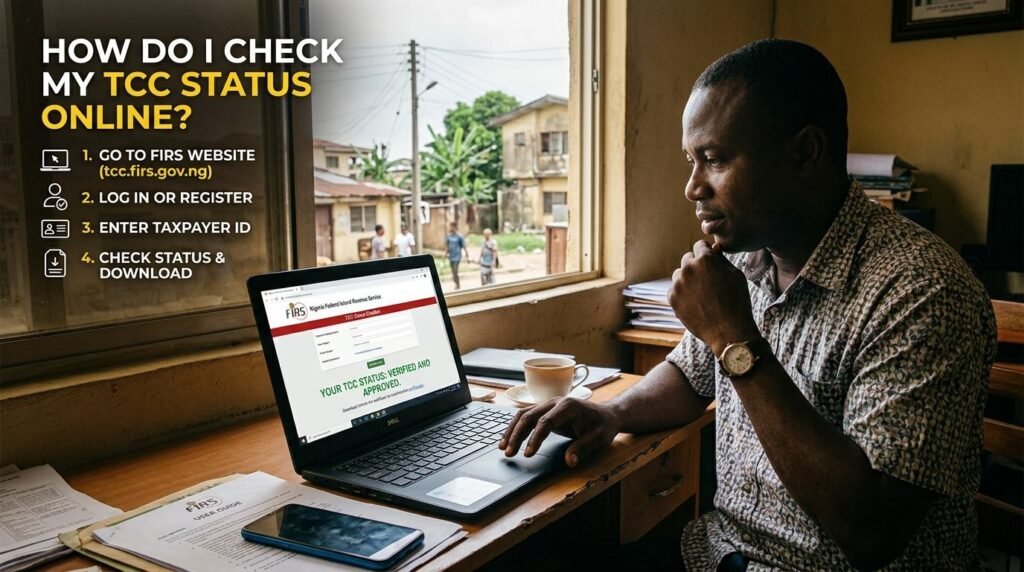
Click on “Generate TCC” to check your status. If your company’s tax affairs are in order, including filed returns and settled liabilities for the three preceding years, the system will allow you to generate your e-TCC. A copy is sent to your registered email address.
Download your certificate. Once generated, the TCC is available for download directly from the portal. The document carries a certificate reference number that can be used for verification.
For new companies that have not yet built up three years of filing history, the online generation option is not available. These companies must apply manually from their designated tax office. The portal still serves as the eventual download point once the manual application is approved.
How to Verify a TCC Online
If you have received a TCC from a vendor, contractor, or employee and need to confirm it is genuine, the verification process is straightforward.
Visit tcc.firs.gov.ng, click “Verify TCC,” and enter the certificate reference number. You can also scan the QR code printed on the certificate if you have a physical or PDF copy. The system confirms whether the certificate is genuine and shows the details it covers, including the taxpayer’s name, TIN, and the years of assessment the certificate applies to.
For individual TCCs issued by a State Internal Revenue Service, the verification process varies by state. Contact the relevant State IRS directly or check their website for a verification portal, as not all states have moved this online yet.
Obtain Your Tax Clearance Certificate (TCC)
Let us help you obtain your Tax Clearance Certificate (TCC) quickly and hassle-free. Our experts provide reliable support throughout the application process, ensuring your business meets all tax compliance requirements.
What the e-TCC Portal Shows You
When you log in to tcc.firs.gov.ng and check your company’s position, the portal gives you a clear picture of where things stand. You can see whether your returns have been filed for the relevant years, whether any liabilities are outstanding, and whether the system is ready to generate a certificate.
If the portal shows outstanding liabilities or unfiled returns, the TCC cannot be generated until those issues are resolved. The system will not issue a certificate over unresolved tax gaps.
Common Reasons TCC Status Shows as Unavailable
Outstanding tax liabilities. The most common reason. If your company has unpaid taxes for any of the three preceding years, the portal will not release the certificate until payment is confirmed and reconciled in the system.
Unfiled returns. Filing returns and paying taxes are two separate steps. Some companies pay but forget to file, or file but miss a particular tax type. Both the return and the payment need to be on record for each relevant year.
TIN mismatch or profile errors. If the details on your NRS account do not match your CAC registration, the system can flag your profile during verification. This is more common after company name changes or director updates that were not reflected in the tax records.
System processing delays. The NRS portal sometimes takes time to reflect recent payments, particularly around peak filing periods. If you made a payment recently and the portal still shows a liability, wait 48 to 72 hours and check again before concluding there is an error.
New company status. Companies without three years of filing history cannot use the automated online generation process. They need to go through the manual application route at their tax office.
Status Check at a Glance
| Situation | What to Do |
|---|---|
| Want to generate your own TCC | Log in at tcc.firs.gov.ng and click Generate TCC |
| Need to verify someone else’s TCC | Click Verify TCC, enter certificate reference number or scan QR code |
| Portal shows outstanding liabilities | Settle the liability, allow 48 to 72 hours for system update, then retry |
| Portal shows unfiled returns | File the missing returns through the NRS e-filing portal, then retry |
| New company with less than three years of filings | Apply manually at your designated FIRS or NRS tax office |
| Individual TCC verification | Contact the relevant State Internal Revenue Service |
Frequently Asked Questions
Can I check my TCC status without logging in?
For verification of an existing certificate, yes. The Verify TCC function on tcc.firs.gov.ng only requires the certificate reference number or QR code. You do not need to log in to verify someone else’s TCC. To generate or check the status of your own application, you need to log in with your company’s NRS credentials.
How long does it take for a TCC to appear on the portal after applying?
For existing companies with clean records, the e-TCC is generated almost immediately through the portal once you click Generate TCC. For manual applications at a tax office, the processing window varies but typically runs between two and four weeks, after which the certificate becomes available for download on the portal.
My TCC was valid last year. Why is it not showing this year?
A TCC covers the three years immediately before the current year of assessment and is reissued annually. Last year’s certificate does not carry forward automatically. You need to generate a new one each year, and that requires your returns and payments for the most recent completed year to be on record.
Can a TCC be revoked after it has been issued?
Yes. If it is discovered that a TCC was issued based on incorrect or fraudulent information, the NRS can revoke it. A revoked TCC will fail the online verification check, which is why the Verify TCC function matters for businesses checking documents submitted by vendors or contractors.
What is the difference between a TCC and a tax receipt?
A tax receipt confirms that a specific payment was made. A TCC confirms that all tax obligations for the three preceding years have been fully met. They are different documents and do not substitute for each other. Procurement officers and banks typically ask for the TCC, not individual payment receipts.
Is the TCC portal the same as the FIRS main website?
No. The TCC portal is specifically at tcc.firs.gov.ng, which is a dedicated e-service platform for tax clearance certificates. The main NRS website handles a broader range of services. For TCC generation and verification, go directly to the TCC portal rather than navigating from the main homepage.
Conclusion: The Portal Is Faster Than Most People Expect
For companies with clean tax records, checking and generating a TCC online takes minutes. The process that used to require visits to a tax office and weeks of waiting has been largely replaced by a portal that works in real time for compliant taxpayers.
The bottleneck is almost never the portal itself. It is the underlying tax position. Outstanding returns and unpaid liabilities are what hold certificates up. If your company files returns consistently and settles tax liabilities promptly each year, the TCC becomes something you can pull from a portal in the same week you need it.
Obtain Your Tax Clearance Certificate (TCC)
Let us help you obtain your Tax Clearance Certificate (TCC) quickly and hassle-free. Our experts provide reliable support throughout the application process, ensuring your business meets all tax compliance requirements.