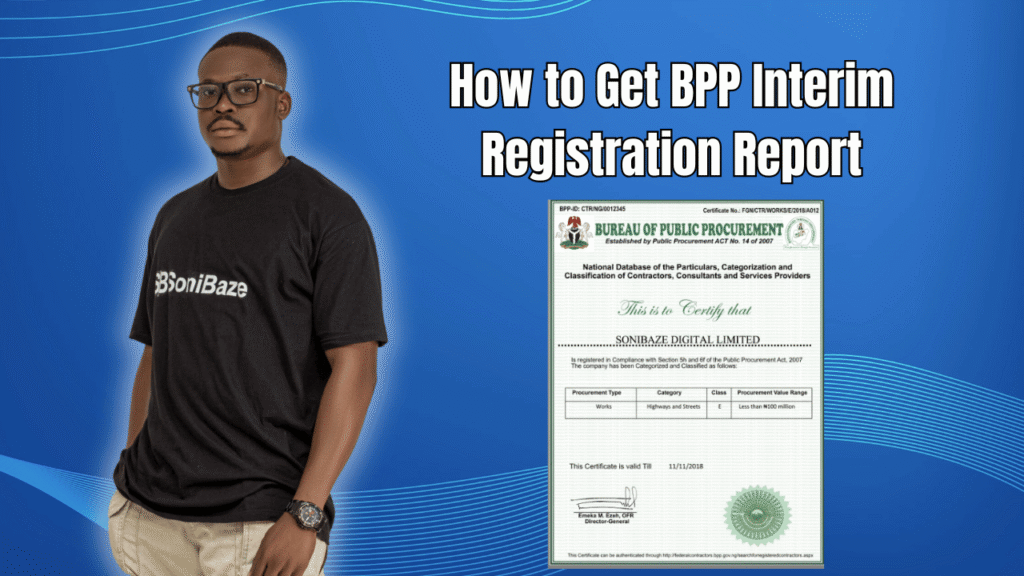
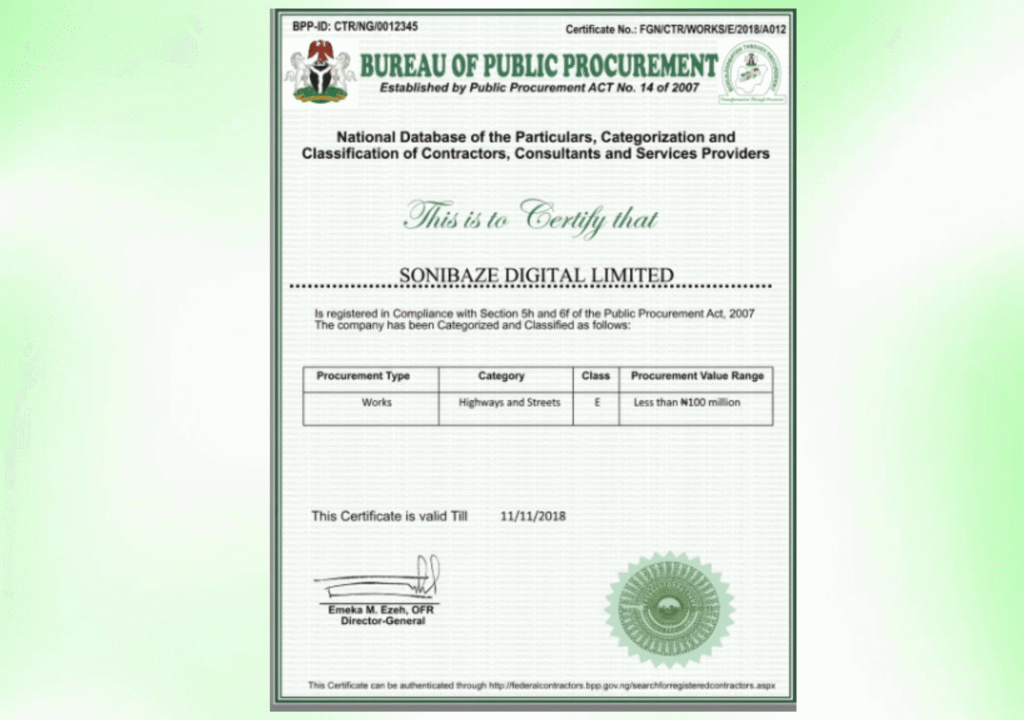
Many companies bidding for federal government contracts in Nigeria attach a document labelled “BPP Certificate” to their bid packages. What they are actually attaching is the Interim Registration Report, or IRR. The two terms are used interchangeably in procurement circles, but understanding what the IRR is and exactly how to generate it saves a lot of confusion.
This article covers what the BPP Interim Registration Report is, when you need it, how to get it for the first time, and how to generate it again for annual renewal.
Obtain Your BPP Certificate
Let us help you obtain your Bureau of Public Procurement (BPP) Registration Certificate quickly and hassle-free. Our experts provide reliable support throughout the registration process, ensuring your business is ready to participate in public procurement opportunities.
What Is the BPP Interim Registration Report?
The Interim Registration Report is the official document issued by the Bureau of Public Procurement after a company successfully completes registration on the National Database of Federal Contractors, Consultants and Service Providers. It is generated digitally through the BPP contractor portal at federalcontractors.bpp.gov.ng once registration is complete.
The IRR confirms that your company exists legally, has met its tax and compliance obligations, and has been categorised within the appropriate service or supply classification on the federal database. It is not a separate application from BPP registration. It is the output of that registration. You cannot print it before completing your profile and submitting your application successfully.
For practical purposes, the IRR is what procurement officers look for when checking a bid submission. Without it, your company cannot be considered for most federal government contracts regardless of how strong the rest of your bid is.
Who Needs the IRR?
Any company, consultant, or service provider bidding for contracts with federal government ministries, departments, and agencies needs the IRR. It has become a standard attachment on expressions of interest and bid documents across all categories including construction, supply, consulting, IT services, training, and facility management.
The IRR is also one of the yearly compliance returns a company is expected to keep current. Letting it lapse does not remove your company from the database, but it means the document you attach to bids is outdated, which procurement officers can and do flag.
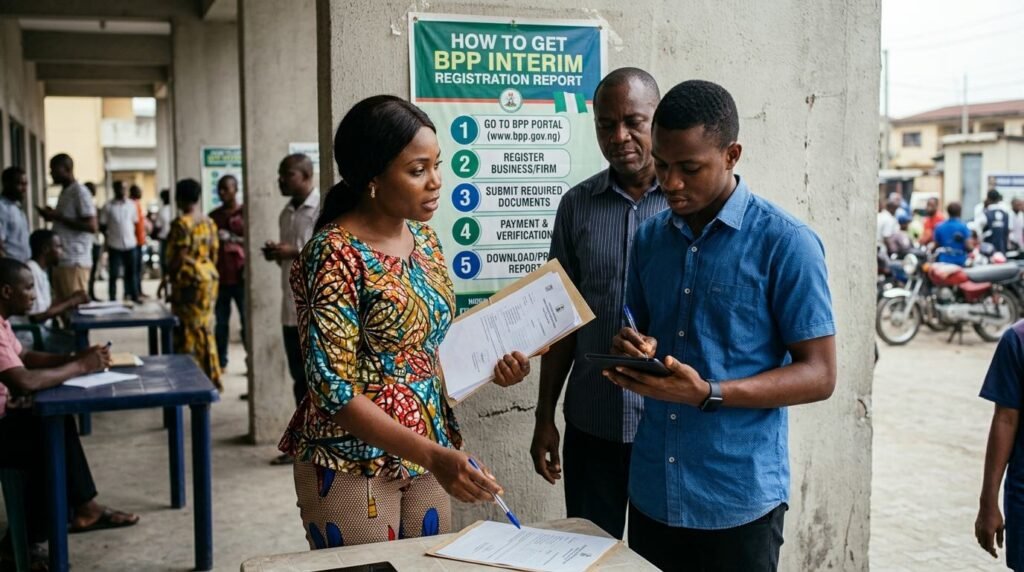
How to Get the BPP IRR for the First Time
Gather Your Documents First
Before logging into the portal, have the following ready. Your Certificate of Incorporation from the CAC, your current CAC Status Report, your FIRS Tax Identification Number and tax clearance certificate covering the last three years, your NSITF compliance certificate, your ITF certificate if your company has five or more employees, and your PENCOM compliance certificate if your company has three or more employees.
Two exemptions apply. Companies with fewer than three employees do not need a PENCOM certificate. Companies with fewer than five employees or with an annual turnover below the ITF threshold do not need an ITF certificate. If your company falls below either threshold, that document is not required.
Also prepare a list of your key personnel with their qualifications and roles, audited financial statements or bank statements as evidence of financial capacity, your completed jobs history where applicable, and details of any equipment your company owns or operates.
Create Your Account on the Portal
Go to federalcontractors.bpp.gov.ng and create a new company account. You will provide your CAC Registration Number, Company Type, FIRS TIN, registered address, and a contact email address. This email address is important. Your temporary login credentials are sent to it after account creation. Check your spam folder if the email does not arrive in your inbox within a few minutes.
Log In and Complete the Full Registration Profile
Using the temporary Contractor ID and password sent to your email, log in to the portal. From there, complete each section of the registration profile in full.
The sections include compliance documents, board of directors, business category, professional association membership where applicable, manufacturer representation if relevant, financial details, personnel information, completed jobs, and equipment. Every section must be filled in before the system allows you to submit.
Accuracy matters at this stage. The information you enter is cross-checked against CAC records, FIRS data, and the compliance certificates you upload. Inconsistencies between what is on your CAC documents and what you enter on the portal are one of the most common reasons profiles get queried before an IRR can be generated.
Submit Your Application
Once all sections are complete, submit the application. BPP will review and verify the submitted information. The outcome is communicated through the portal and through the contact email address you registered with, including your BPP Contractor Identification Number and the classification tiers assigned to the categories you selected.
Generate and Print Your IRR
You can only print the IRR after your registration has been successfully completed and verified. Once verification passes, log in to the portal and click the button labelled “Generate Interim Registration Report.” Follow the on-screen steps to generate and print your current, valid IRR.
The document you print is your BPP certificate for that year. Keep a digital copy and a printed copy. Most companies attach a printed copy to bid documents and keep scanned copies for quick access when tender deadlines are tight.
Obtain Your BPP Certificate
Let us help you obtain your Bureau of Public Procurement (BPP) Registration Certificate quickly and hassle-free. Our experts provide reliable support throughout the registration process, ensuring your business is ready to participate in public procurement opportunities.
How to Renew Your IRR Each Year
The IRR is a yearly document. It must be updated annually to remain valid for procurement purposes. BPP issues notices for the generation of each year’s IRR, and in 2026 a specific notice was published for the generation of the 2026 IRR.
The renewal process is simpler than the first registration because your company profile already exists on the system. Log in to the portal using your existing Contractor ID and password. Update any information that has changed since your last registration, including new directors, updated financial statements, and renewed compliance certificates. Then generate the new year’s IRR from the portal.
The most important thing to update before generating a renewed IRR is your compliance certificates. Your PENCOM, NSITF, ITF, and tax clearance certificates all have their own annual cycles. If any of them have expired, the portal will flag this during renewal and the IRR cannot be generated until the current certificates are uploaded.
Treat IRR renewal as a recurring annual task rather than something to address when a tender deadline forces the issue. Companies that stay on top of it generate their renewed IRR in January or February each year and are ready to bid from the start of the procurement cycle.
What to Do If You Cannot Generate Your IRR
If you have completed registration but the system is not allowing you to generate the IRR, there are a few things to check.
First, confirm that all sections of your profile are marked as complete. The portal will not release the IRR generation button if any section is still flagged as incomplete. Second, check whether any of your uploaded compliance documents have been flagged as expired or invalid. Third, confirm that the information in your profile matches what is on your supporting documents, since verification mismatches can hold up the system.
If the issue persists after checking all of the above, contact BPP directly through the Digital Submission Portal, which handles all official correspondence since March 2025. BPP also has phone contacts for online help with the registration process.
IRR at a Glance
| Stage | What You Do | Watch Out For |
|---|---|---|
| Document gathering | Collect CAC, TIN, tax clearance, NSITF, ITF, PENCOM certificates | Using expired or outdated compliance documents |
| Account creation | Register on federalcontractors.bpp.gov.ng | Wrong email address used for credentials |
| Profile completion | Fill in all sections including personnel, financials, jobs, equipment | Leaving any section incomplete blocks the IRR |
| Application submission | Submit for BPP verification | Mismatches between profile entries and CAC or FIRS records |
| IRR generation | Log in, click Generate IRR, print the document | Only possible after successful verification |
| Annual renewal | Update profile and compliance documents, generate new IRR | Expired certificates block renewal |
Frequently Asked Questions
Is the BPP Interim Registration Report the same as the BPP certificate?
Yes. The document commonly called the BPP certificate is technically the Interim Registration Report. Both terms refer to the same document generated from the BPP contractor portal after successful registration. The word “interim” reflects that registration is confirmed while the full database classification process continues.
How long does it take to get the IRR after submitting a registration?
There is no fixed processing time published by BPP, but companies with complete, accurate, and consistent documentation tend to receive verification and be able to generate the IRR faster than those with errors or missing documents. Building in at least two to three weeks before any contract deadline is a sensible approach for first-time applicants.
Can I generate the IRR immediately after submitting my application?
No. The IRR can only be printed after BPP verifies and approves your registration. Submitting the application is the start of the verification process, not the end.
Do I need to reapply every year or just update my existing profile?
For annual renewal, you update your existing profile rather than submitting a fresh registration. Your Contractor ID stays the same. The update process involves refreshing your compliance certificates and any changed company information, then generating a new IRR for the current year.
What happens if I miss the annual renewal?
Your company remains on the database, but your IRR becomes outdated. Procurement officers checking your compliance status will see an expired document, which is typically sufficient grounds for disqualifying a bid submission. There is no penalty fee for late renewal, but the practical consequence is that you cannot competitively bid for federal contracts until the renewal is done.
Is there a fee to generate the IRR?
No. BPP registration and IRR generation are free of charge. Any fees a company pays are for the supporting compliance certificates required during registration, or for consultant fees if a professional is engaged to manage the process.
Conclusion: Generate Early, Renew Annually
The BPP Interim Registration Report is not a complex document to obtain once the underlying compliance is in place. The real work is making sure your CAC documents, tax clearance, PENCOM, NSITF, and ITF certificates are all current before you sit down at the portal. When those are ready, the registration and IRR generation follow a clear sequence.
For companies already registered, the annual renewal is even simpler. Log in, update what has changed, confirm your certificates are current, and generate the new year’s IRR before the busy procurement season begins.
Obtain Your BPP Certificate
Let us help you obtain your Bureau of Public Procurement (BPP) Registration Certificate quickly and hassle-free. Our experts provide reliable support throughout the registration process, ensuring your business is ready to participate in public procurement opportunities.