Hiring a social media manager or becoming one requires more than knowing how to post content. The tools you use determine how fast you work, how consistent the output is, and how well results can be tracked and reported. Without the right apps, even a skilled manager will struggle to keep up.
This article covers the core categories of apps every social media manager should know, what each one does, and which specific tools are worth learning first.
Want real results from social media marketing? More followers, engagements, and consistent leads.
Why App Knowledge Matters for Social Media Managers
Social media management involves several distinct workflows: content creation, scheduling, community management, analytics, design, and client reporting. Each workflow has dedicated tools built to make it faster and more professional.
A manager who only knows how to post manually from a phone is limited. One who knows how to use scheduling tools, design platforms, and analytics dashboards can handle multiple accounts, maintain consistency, and show measurable results. Those are the skills that justify a serious salary or retainer.
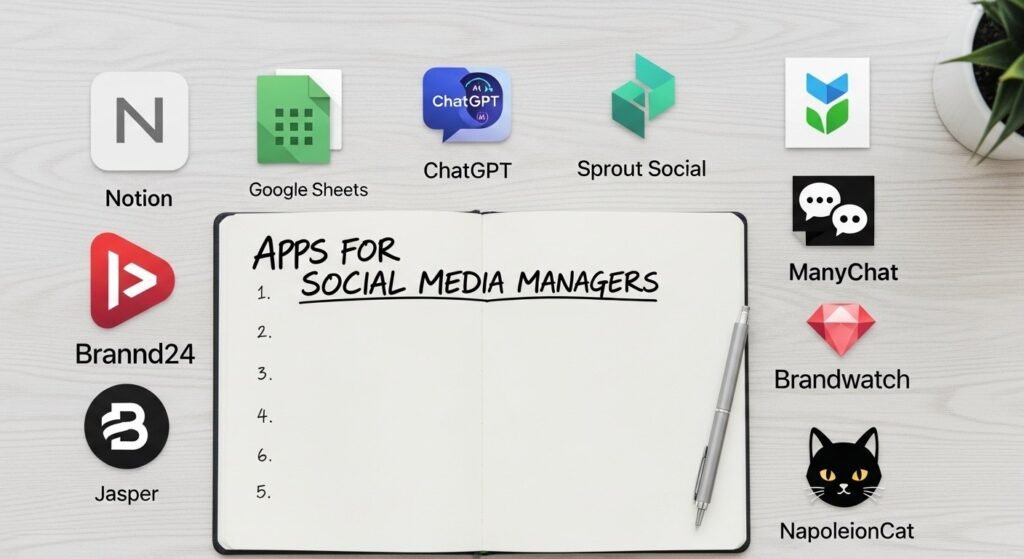
The apps below are grouped by function so you can see exactly where each one fits into the day-to-day work.
Content Creation and Design Apps
Every social media manager needs to produce or brief visual content. These tools handle graphics, short videos, carousels, and branded templates.
| App | What It Does | Best For |
|---|---|---|
| Canva | Drag-and-drop graphic design with templates | Graphics, carousels, story designs |
| Adobe Express | Lighter version of Adobe suite for quick designs | Branded content, quick edits |
| CapCut | Short-form video editing with text and effects | Reels, TikToks, YouTube Shorts |
| Adobe Premiere Rush | Mobile and desktop video editing | Higher quality video content |
| InShot | Simple mobile video editor | On-the-go video content |
| Remove.bg | AI background removal | Product images, profile graphics |
Canva is the most widely used tool in this category and is essential knowledge for any manager. CapCut has become a standard for video-first platforms.
Scheduling and Publishing Apps
Posting manually every day across multiple accounts is not sustainable. Scheduling tools allow you to plan content in advance, maintain consistency, and manage several accounts from one dashboard.
| App | What It Does | Best For |
|---|---|---|
| Buffer | Schedule posts across multiple platforms | Small teams, straightforward scheduling |
| Hootsuite | Full social media management suite | Agencies managing multiple clients |
| Later | Visual content calendar with drag-and-drop | Instagram and Pinterest-heavy accounts |
| Sprout Social | Advanced scheduling with CRM features | Enterprise-level management |
| Meta Business Suite | Native scheduler for Facebook and Instagram | Businesses running Meta pages only |
| TweetDeck (now X Pro) | Real-time X (Twitter) management | High-volume X posting and monitoring |
Meta Business Suite is free and works well for managers focused on Facebook and Instagram. Buffer and Later are good starting points for managers learning scheduling tools before moving to Hootsuite or Sprout Social.
Analytics and Reporting Apps
Knowing what content performs well is as important as creating it. Analytics tools help managers track reach, engagement, follower growth, and link clicks, and they make it possible to produce client-ready reports.
| App | What It Does | Best For |
|---|---|---|
| Meta Insights | Native analytics for Facebook and Instagram | Tracking Meta page performance |
| Google Analytics | Website traffic from social channels | Measuring social-to-website conversions |
| Sprout Social | Cross-platform analytics and custom reports | Professional client reporting |
| Hootsuite Analytics | Built-in reporting across connected accounts | Agencies using Hootsuite already |
| Iconosquare | In-depth Instagram and Facebook analytics | Growth-focused Instagram accounts |
| Metricool | Affordable all-in-one analytics and scheduling | Freelancers and small agencies |
Every manager should understand how to read native platform analytics before moving to third-party tools. Google Analytics knowledge is also important because most clients want to know how social media is driving traffic to their website.
Want real results from social media marketing? More followers, engagements, and consistent leads.
Social Listening and Monitoring Apps
Social media managers need to know what people are saying about their brand, their competitors, and relevant industry topics. Social listening tools track mentions, keywords, and trends in real time.
| App | What It Does | Best For |
|---|---|---|
| Google Alerts | Email alerts for keywords and brand mentions | Basic free monitoring |
| Mention | Real-time brand monitoring across platforms | Agencies tracking multiple brands |
| Brand24 | Sentiment analysis and mention tracking | Brands that need detailed monitoring |
| Brandwatch | Enterprise social intelligence platform | Large brands and PR teams |
| Talkwalker | Global social listening with AI analysis | High-level campaign monitoring |
Google Alerts is a good starting point for managers on a budget. Mention and Brand24 offer more depth and are affordable for small agencies and freelancers.
Community Management and Inbox Apps
Responding to comments and messages across multiple platforms is time-consuming when done natively. Unified inbox tools pull all conversations into one place.
| App | What It Does | Best For |
|---|---|---|
| Hootsuite Inbox | Manage DMs and comments from one place | Agencies using Hootsuite |
| Sprout Social Inbox | Smart inbox with tagging and assignment | Teams managing high message volumes |
| NapoleonCat | Multi-platform inbox with auto-moderation | E-commerce and high-comment brands |
| ManyChat | Automated DM responses and chatbots | Lead generation through Instagram DMs |
| Agorapulse | Social inbox with team collaboration | Mid-size teams and agencies |
For a manager handling multiple client accounts, a unified inbox is not optional. It keeps response times fast and prevents missed messages.
Caption Writing and AI Tools
AI writing tools have become a standard part of the content workflow. They speed up caption writing, help with content ideation, and make it easier to repurpose content across platforms.
| App | What It Does | Best For |
|---|---|---|
| ChatGPT | Caption writing, content ideas, repurposing | General content assistance |
| Claude (Anthropic) | Long-form content, strategy, tone refinement | In-depth briefs and strategy docs |
| Copy.ai | Marketing copy and social captions | Fast caption generation |
| Jasper | Brand-consistent AI writing with templates | Agencies with defined brand voices |
| Notion AI | Writing and organising content within Notion | Managers already using Notion |
AI tools do not replace a manager’s judgment on brand voice and audience understanding. They speed up production and help with writer’s block.
Content Planning and Organisation Apps
Managing content calendars, client approvals, and team tasks requires organisation tools separate from the scheduling platforms.
| App | What It Does | Best For |
|---|---|---|
| Notion | Content calendars, wikis, and databases | Individual managers and small teams |
| Trello | Visual kanban boards for content workflows | Teams that prefer visual task management |
| Asana | Project management with task assignments | Agencies with multiple team members |
| Google Sheets | Simple content calendars and trackers | Budget-conscious freelancers |
| Monday.com | Advanced project management with automations | Larger agencies |
Most freelance social media managers use Notion or Google Sheets for content planning. Agencies tend to move to Asana or Monday.com as team sizes grow.
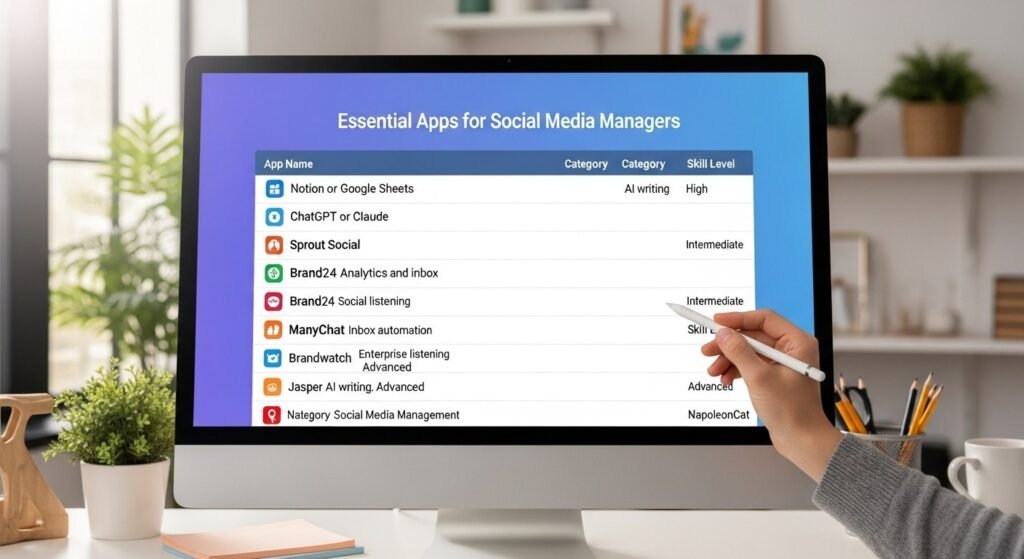
Quick Reference: Apps by Priority Level
Not all tools are equal in terms of how urgently you need to learn them. This table ranks them by importance for someone starting out versus someone managing multiple clients professionally.
| App | Category | Priority Level |
|---|---|---|
| Canva | Design | Essential |
| Meta Business Suite | Scheduling | Essential |
| Google Analytics | Analytics | Essential |
| CapCut | Video editing | High |
| Buffer or Later | Scheduling | High |
| Google Alerts | Social listening | High |
| Hootsuite | Full management | High |
| Notion or Google Sheets | Organisation | High |
| ChatGPT or Claude | AI writing | High |
| Sprout Social | Analytics and inbox | Intermediate |
| Brand24 | Social listening | Intermediate |
| ManyChat | Inbox automation | Intermediate |
| Brandwatch | Enterprise listening | Advanced |
| Jasper | AI writing | Advanced |
| NapoleonCat | Community management | Advanced |
Start with the essential tier and build from there. Clients rarely ask about obscure tools, but they will expect you to know Canva, Meta Business Suite, and how to read basic analytics.
Frequently Asked Questions
Do I need to know all of these apps to get hired as a social media manager?
No. Most entry-level roles expect you to know design basics (Canva), scheduling (Meta Business Suite or Buffer), and how to read platform analytics. The advanced tools become relevant as you move into agency work or manage larger accounts with bigger budgets.
Which app is most important for a social media manager in Nigeria?
Canva and Meta Business Suite are the two most commonly expected tools. Most Nigerian brands are active primarily on Facebook and Instagram, so Meta Business Suite knowledge is especially relevant. Learning these two alongside basic analytics will cover most local job requirements.
Is it worth paying for premium versions of these apps?
It depends on the volume of work. Free tiers of Canva, Buffer, and Meta Business Suite cover a lot. Once you are managing five or more accounts, a paid plan for a scheduling or analytics tool will save more time than it costs. Evaluate once your workload justifies it.
How do I learn these apps without formal training?
Most of these platforms have free tutorials on YouTube and their own help centres. Canva, Hootsuite, and HubSpot all offer free certifications that are worth having on your profile. SoniBaze Tech Academy in Karu, Abuja also offers certified Digital Marketing and Social Media training for those who want structured, hands-on learning.
Can a social media manager use free tools only?
Yes, especially when starting out. Canva Free, Meta Business Suite, Google Analytics, Google Alerts, Buffer Free, and Google Sheets are all free and collectively cover design, scheduling, analytics, and monitoring. As your client base grows, paid tools become more practical.
How often do new social media apps emerge that managers need to learn?
New tools emerge regularly, but core workflows remain consistent. Scheduling, analytics, design, and community management have been the same four pillars for years. Focus on mastering those fundamentals, and adapting to new platforms or tools becomes much easier over time.
Conclusion: Tools Are Skills, Not Just Software
Knowing which apps to use, and knowing how to use them well, is a core part of what makes a social media manager effective. Clients are not just paying for content. They are paying for organisation, consistency, data, and results. The right tools make all of that possible at scale.
Start with the essentials, build your competency in each category, and expand into more advanced tools as your workload demands it.
SoniBaze Digital runs a tech academy in Karu, Abuja offering certified training in Digital Marketing and Social Media Management. Training is available physically, online, and as corporate programs.
Want real results from social media marketing? More followers, engagements, and consistent leads.